How to use TazaQala
Report environmental violations, track city cleanup, and earn points for your activity — all in just a few minutes.
Report
Photograph the problem and submit a report in under a minute.
Track
Track cleanup status on the city map.
Earn
Earn points for every confirmed report.
Redeem
Spend your points on prizes from platform partners.
1 Step by step — with screenshots

Open TazaQala
You can access it in three ways:
- Scan the QR code from a poster or flyer;
- search for «tazaqala» in Google and open tazaqala.com;
- or open the mobile app.

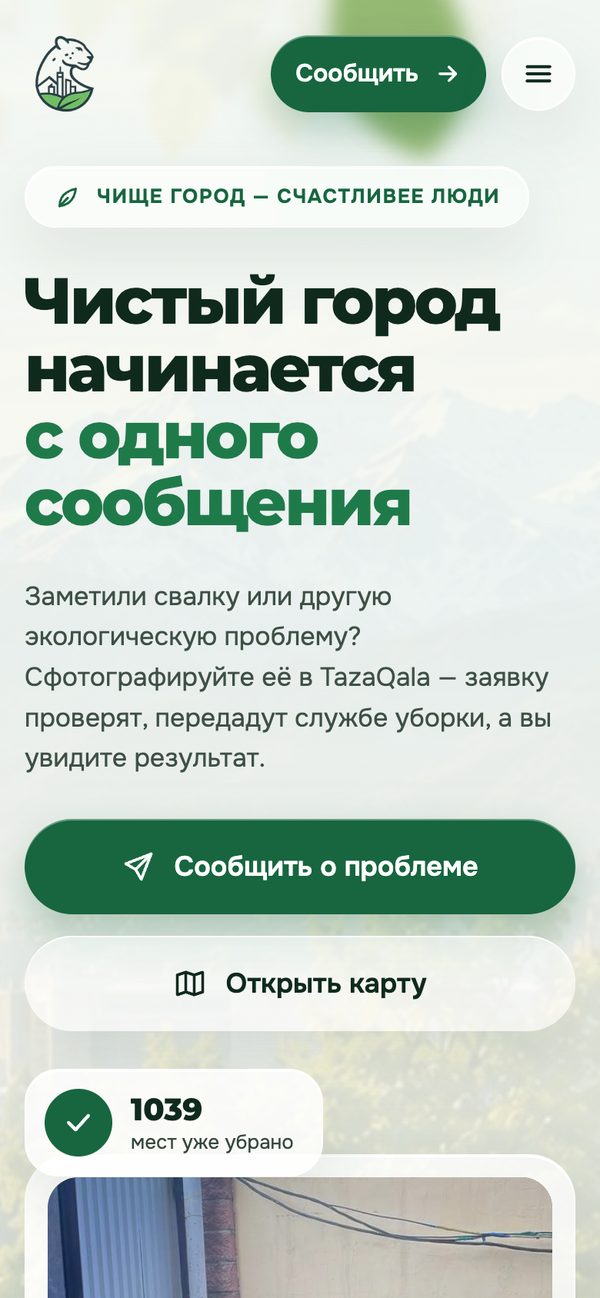
Tap "Report a problem"
On the home page there are two main buttons:
- "Report a problem" — create a new report;
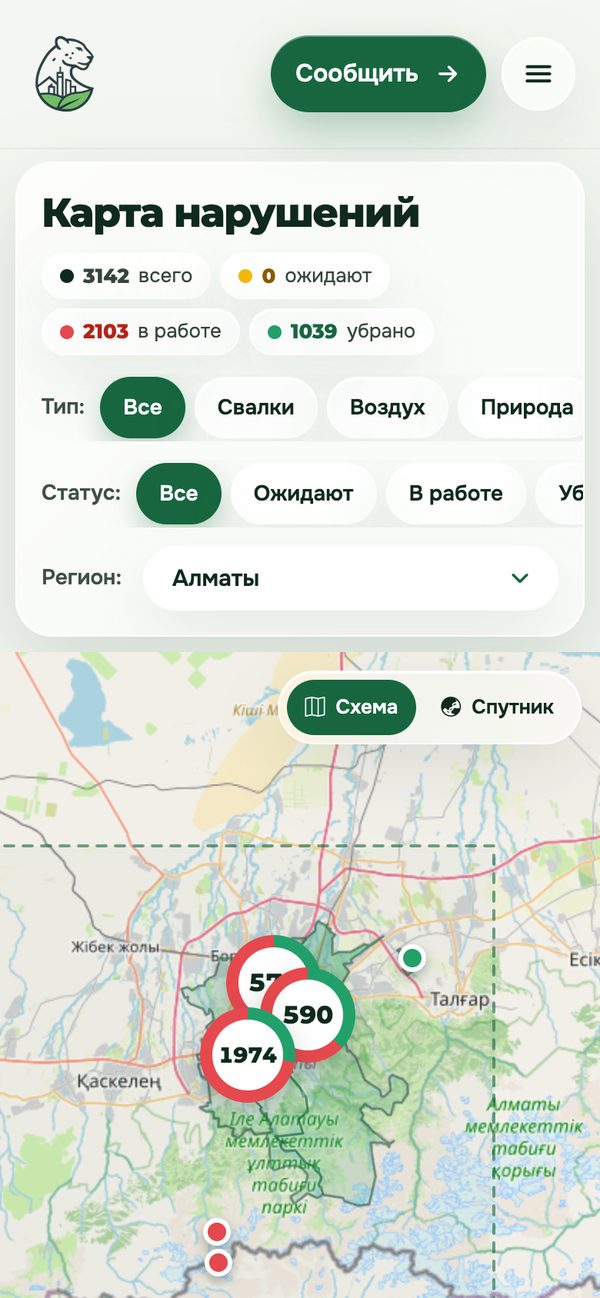
- "Open map" — view already marked violations in the city.

Register (to accumulate points)
Fill in the registration form fields:
- Username * — login for signing in;
- Email * — notifications will be sent here;
- Phone — optional;
- Full name — optional (e.g., Ivan Ivanov);
- Password * — at least 6 characters;
- Repeat password * — the same password once more.

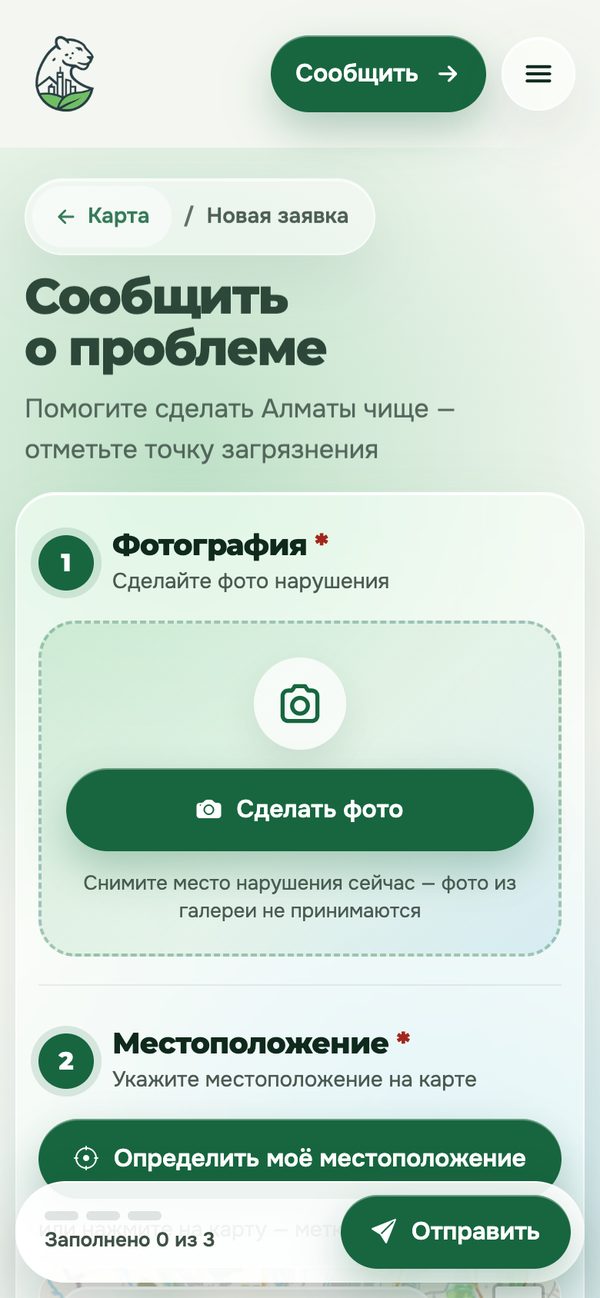
Add photo and location
- Photo * — tap the camera area and select a photo of the violation (or drag and drop a file);
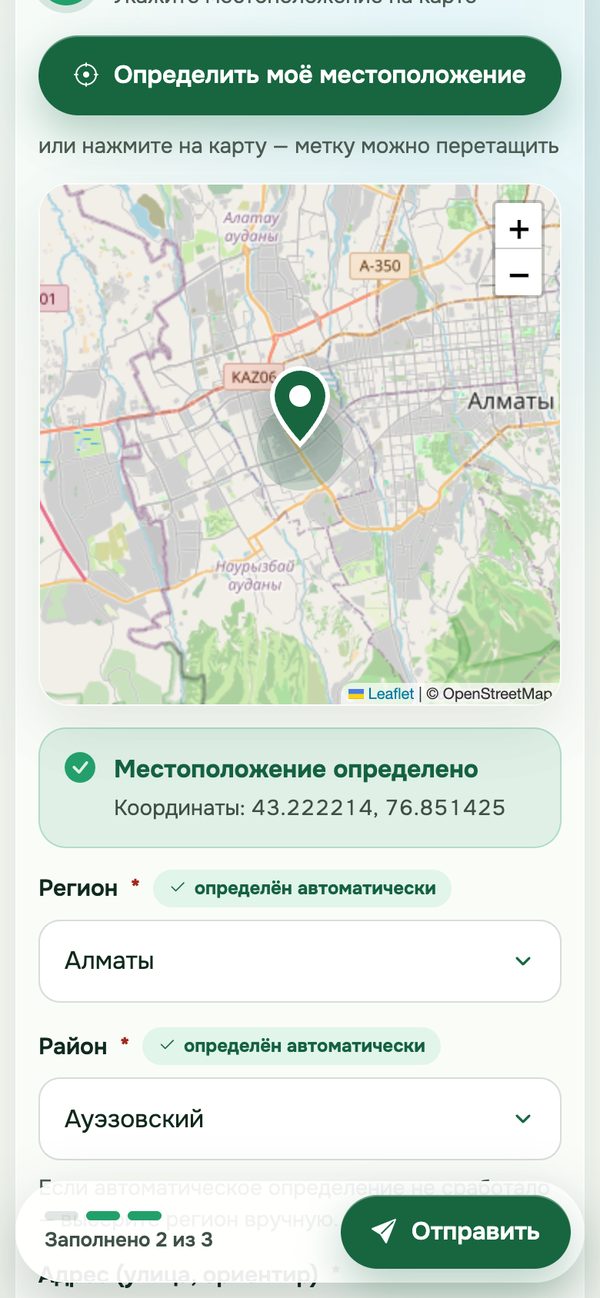
- Location * — tap "Detect my location" to place the pin automatically;
- or drag the marker on the map to the correct spot.

Fill in details and submit
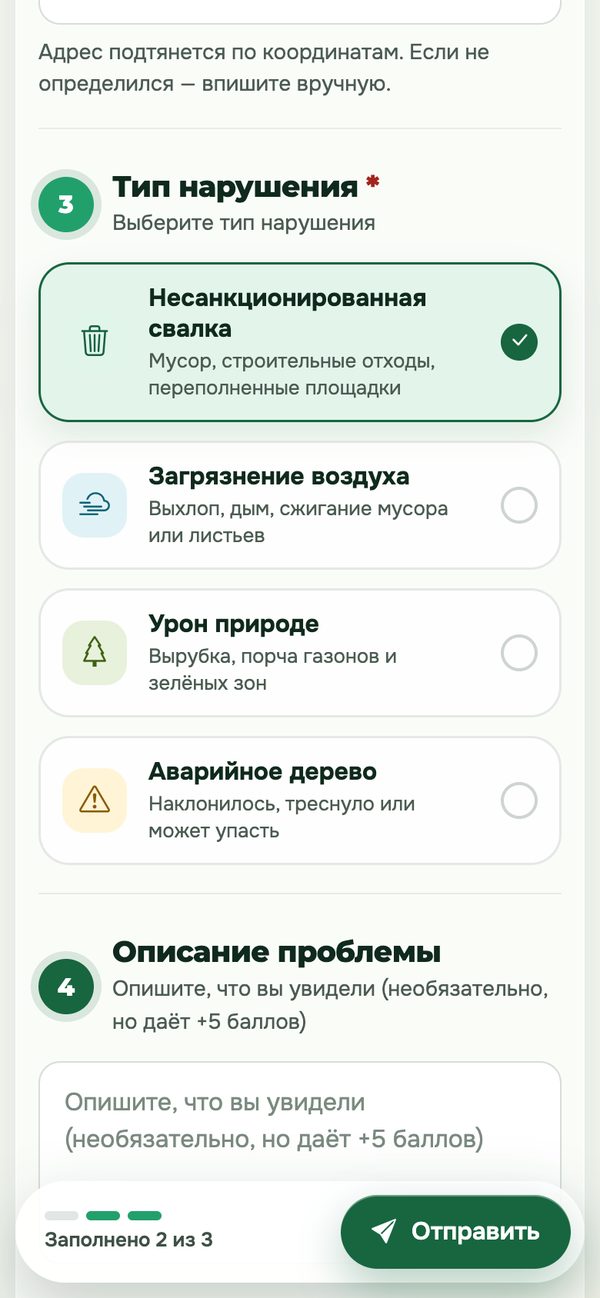
- Violation type * — choose from the list (dump/litter, air pollution, nature damage);
- Region * — determined automatically (e.g., «Almaty»); change manually if needed;
- District * — choose from the list of districts;
- Address (street, landmark) — specify the location, e.g., "Beisenbay uly street, 4";
- Problem description — optional, but earns +5 bonus points.

Site sections
Open the menu (the ☰ icon at the top right) to navigate to:
- Map — all city violations and their statuses;
- Leaderboard — ranking of the most active residents;
- Rewards — redeem points for rewards;
- Profile — your points, level, and report history.
2 What happens to a report
| Status | What it means |
|---|---|
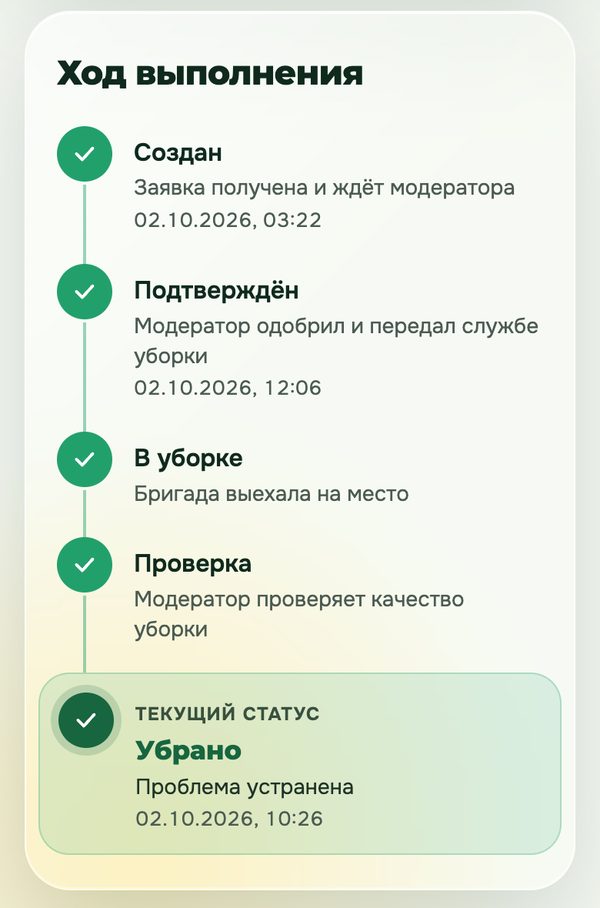
| New | Report received and awaiting moderator review. |
| Confirmed | Report approved and forwarded to the cleanup service. |
| In progress | A cleanup crew has been dispatched. |
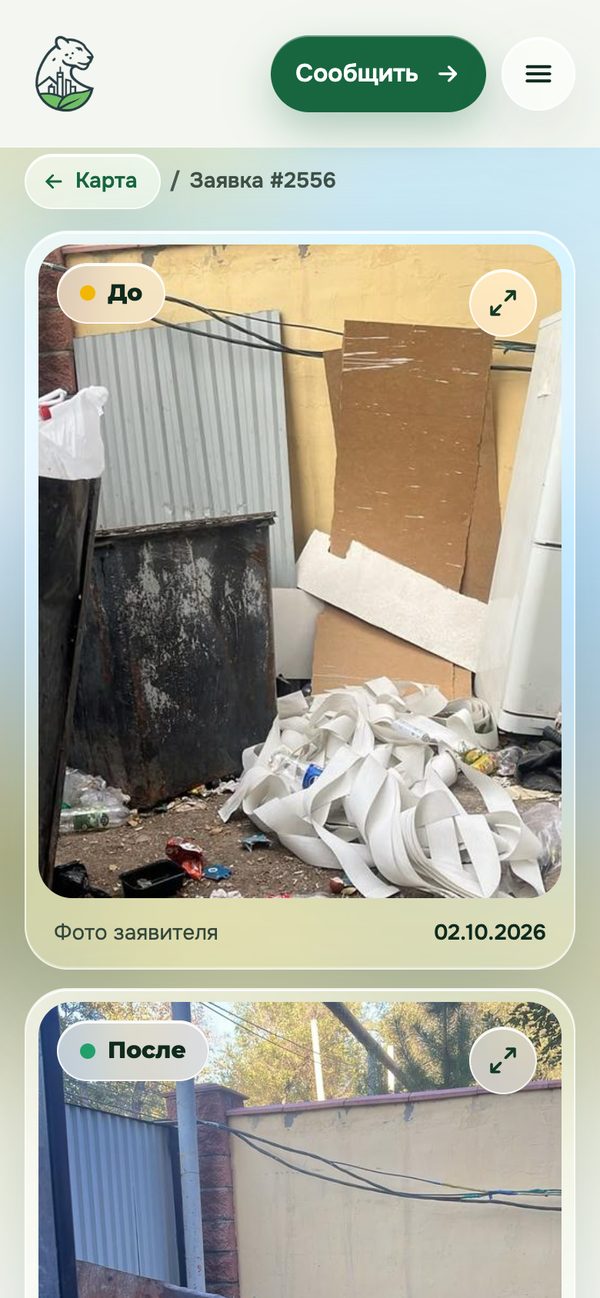
| Cleaned ✅ | Problem resolved, an after-photo is available. A bonus has been credited to you. |
| Rejected | Report not accepted — the reason is stated in the notification. |
3 Points and levels
| Action | Points |
|---|---|
| Report accepted | +10 |
| Report with description (comment) | +5 extra |
| Your report was cleaned up — bonus | +10 |
| Level | Points required |
|---|---|
| 🌱 Beginner | 0–49 |
| ♻️ Activist | 50+ |
| 🌿 Eco-patriot | 200+ |
| 🏆 City hero | 500+ |
4 Frequently asked questions
Do I need to register to report a problem?
No, you can report anonymously. However, points and report history are only available after registration.
Why was my report rejected?
The moderator always states the reason — it arrives in a notification. Most often it is a blurry photo, an incorrect district, or a duplicate.
When will the problem be cleaned up?
Timelines depend on the district cleanup service. Track the status — you will receive a notification with a photo when the work is complete.
Where can I spend my points?
Go to the «Rewards» section — there is a prize catalogue there. The higher your level, the more options are available.